
.avif)
Your company's data lives in a dozen places. CRM systems, ERP applications, finance tools, operational databases, and the cloud all hold a piece of it. The bigger you get, the messier it becomes. Duplicate records pile up. Numbers disagree. Nobody's sure who owns what. Before long, people stop trusting the analytics, and AI projects stall.
Moving and storing data won't fix that. You need enterprise data management capabilities that improve quality, build trusted records, enforce governance, and make data useful across your systems.
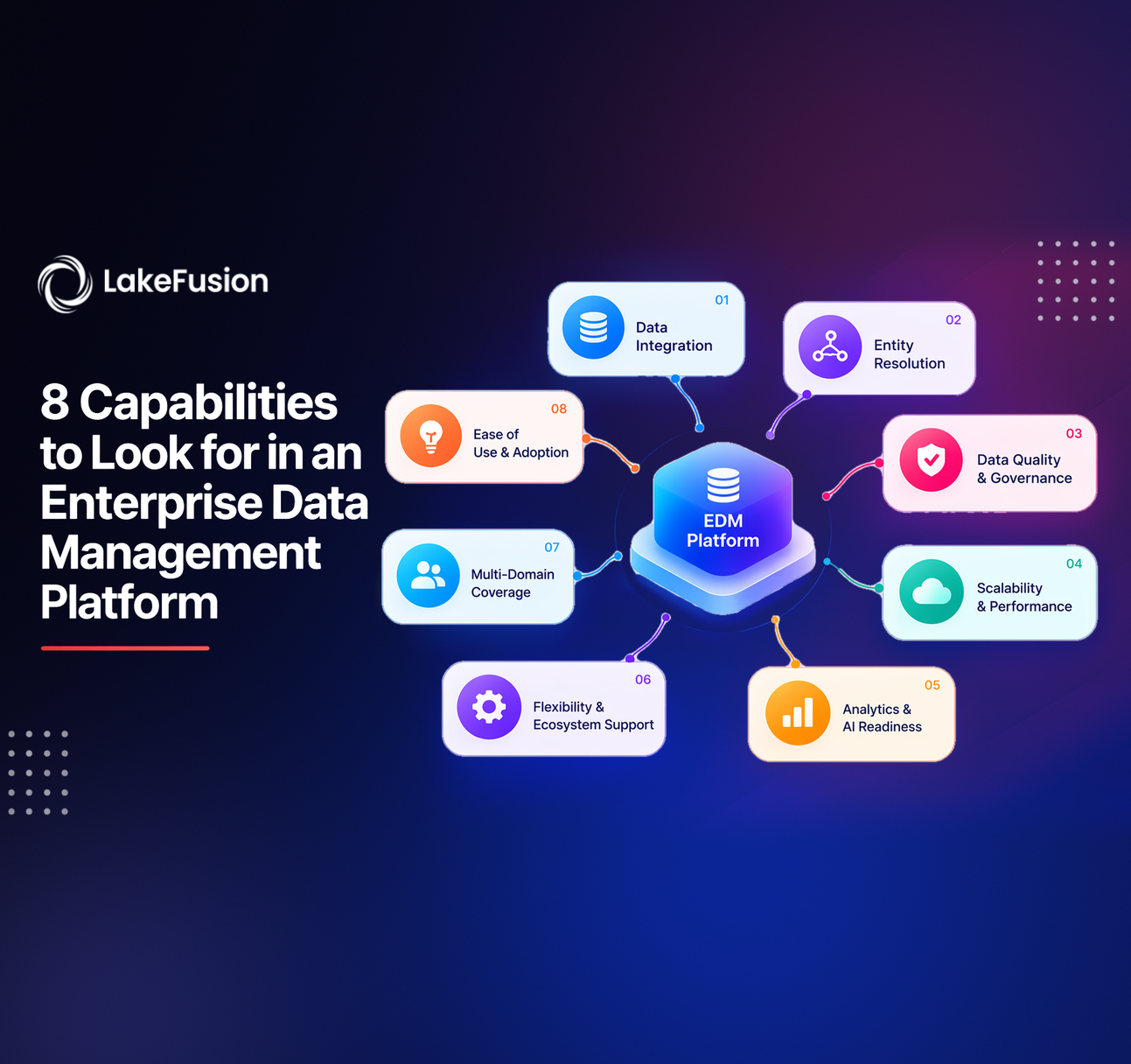
The tool you choose should go well with your current data architecture. It should also keep up as your business and AI plans change. Here are 8 capabilities to look for when comparing enterprise data management software.
What Are Enterprise Data Management Capabilities?
These functions keep your data consistent, governed, connected, and easy to access across business systems.
Most platforms cover some mix of these:
- Master Data Management: Builds trusted records for your key business entities.
- Data Quality Management: Finds and fixes incomplete, inconsistent, or duplicate data.
- Data Integration: Links data across systems and applications.
- Data Governance: Controls who can access data, who owns it, and who answers for it.
- Metadata and Lineage: Shows what data means, where it came from, and how it moved.
- Graph Intelligence: Links entities together and shows how the business connects.
- Workflow Automation: Delivers trusted data to applications and operational processes.
- Scalability and Monitoring: Handles growing data volumes and tracks performance.
Together, they provide a data foundation you can rely on for reports, analytics, daily operations, and AI.
8 Essential Enterprise Data Management Capabilities to Look for in Platform
When you evaluate a platform, look for enterprise data management capabilities that solve real business problems. They should also stay manageable as your data grows.
1. Master Data Management and Golden Record Creation
Most companies hold several versions of the same customer, supplier or product in different systems. Master Data Management (MDM) spots those duplicates and builds one trusted record.
Essential features to look for:
- Entity resolution: Finds records that describe the same real-world entity.
- Match and merge: Combine duplicates using rules you define.
- Survivorship rules: Picks which value wins when source records disagree.
- Golden record creation: Produces one trusted version of each entity.
- Data stewardship: Sends unclear matches and exceptions to the right people.
- Flexible matching: Handles deterministic, probabilistic and AI-assisted matching where it makes sense.
Imagine ABC Corp. Its CRM lists a customer under one name, and billing lists the same customer under another. MDM flags the likely match and helps fold both into a single customer record. A good master data management solution also lets people see why it made a matching decision. Teams should be able to tweak rules as the business changes.
2. Data Quality Management and Standardization
Bad data hurts reporting, customer operations, compliance and AI results. Your platform should help you find quality problems and apply the same rules everywhere.
Look for capabilities such as:
- Data profiling and quality assessment
- Completeness and validity checks
- Duplicate detection
- Standardization of names, addresses and other attributes
- Configurable validation rules
- Exception tracking and resolution
- Ongoing data quality monitoring
Say XYZ Ltd keeps addresses in different formats across several systems. Standardization rules make them match. Validation checks then flag anything incomplete or wrong.
What to evaluate: Can your teams set rules for each data domain? Can they spot problems that keep coming back and see whether things improve over time? Treat data quality as a habit. A one-time cleanup won't last.
3. Flexible Data Integration and Interoperability
Enterprise data comes from systems with different formats, structures, and refresh rates. A good platform connects them without making you rip out what you already run. Important integration capabilities include:
- Connectors for the data sources and applications you use
- APIs for swapping data with other systems
- Batch processing and scheduled pipelines
- Support for schemas and data structures that change
- Integration with cloud data platforms
- Dependable handling of updates and exceptions
Interoperability lets you add data management features and keep the systems your business depends on.
What to evaluate: Make sure the tool is compatible with your existing data infrastructure and aligns with your desired integration patterns. It should also expand to new sources as you expand.
4. Data Governance, Security, and Access Control
Data needs to reach the right people and the right systems. Everyone else should stay out. Governance establishes clear roles and information clarity.
Essential governance features include:
- Role-based access control (RBAC)
- Configurable permissions and scopes
- Data ownership and stewardship responsibilities
- Auditability and activity tracking
- Governance policies for critical data
- Integration with underlying platform security controls
Permission may be needed for a data steward to look at potential matching pairs. Only authorized administrators can modify some settings.
A solid enterprise data governance solution makes those roles clear and enforces access limits.
Do you use Databricks? Look at how the data management layer works with the platform's own governance and access controls. Find out which duties belong to Databricks and which belong to the data management layer.
5. Metadata Management, Lineage, and Discoverability
Data gets more useful when people know what it represents, where it started and how it changed. Metadata and lineage supply that story.
Look for these features:
- Searchable metadata and data definitions
- Source and attribute documentation
- Data lineage and dependency visibility
- Search and discovery tools
- Documentation for entities and data structures
- Information that helps users judge whether data fits their need
Think of a finance team chasing a strange number in a report. Lineage lets them identify the data's source and any transformations or upstream changes that affected it.
Business benefits include:
- Faster troubleshooting
- Less repeated data prep
- A clearer view of data dependencies
- Smarter choices about reusing data
- Better teamwork between technical and business people
When evaluating tools, ensure the technical team and business users can easily locate and understand the data they use.
6. Entity Relationships and Graph Intelligence
A single record rarely tells the whole story. Customers link to accounts. Suppliers link to products. Companies connect through contracts, transactions, and ownership.
Graph intelligence lets you map and explore those links alongside your trusted entity data.
Useful capabilities include:
- Modeling relationships between business entities
- Exploring connected records and dependencies
- Understanding multi-level relationships
- Using relationship context in operational workflows
- Making connected data available for analytics and AI use cases
Take ABC Corp again. It may need to see how one supplier ties into several business units, contracts, and product categories. Relationship intelligence brings those links into view, so each record no longer looks like a lone item.
An enterprise graph intelligence solution should work alongside MDM. It connects trusted entities and puts their relationships to work in business processes.
What to evaluate: See if the graph matches the current data structure. It should reveal relationship information without introducing new mistakes.
7. Workflow Automation, APIs, and AI Readiness
Trusted data pays off when applications and automated workflows can use it directly. Manual exports and disconnected steps slow things down and add errors.
Look for capabilities that support:
- APIs for accessing trusted entities
- Automated data processing and scheduled workflows
- Exception routing and stewardship review
- Integration with downstream business applications
- Governed access to entity and relationship data
- Support for relevant AI and agent workflows
You can't make data AI-ready by plugging a model into a dataset. AI applications also need steady entity identities, useful context, reliable information and the right access controls.
An AI-ready data management solution should feed trusted data to analytics and AI workflows and keep your governance rules intact.
Imagine an AI app answering a question about a supplier. It needs a trusted supplier record plus that supplier's links to contracts or business units. MDM and graph capabilities can supply that structure.
What to evaluate: See how the tool exposes data, handles permissions and manages exceptions. Check how it monitors automated processes too.
8. Scalability, Extensibility, and Operational Monitoring
Your data needs will change. You'll add business domains and new systems. Analytics and AI work will grow. The platform has to keep pace without making the admin work harder every month.
Important capabilities include:
- Support for additional entities and source systems
- Configurable matching and governance rules
- Extensible data models and workflows
- Processing and pipeline monitoring
- Exception tracking and operational alerts
- Visibility into execution status and failures
- Manageable administration and maintenance
Scaling isn't just about more records. You also need consistent governance, stewardship workloads people can handle, and reliable operations as more teams start using the tool.
What to evaluate: Test with realistic data volumes and business scenarios. Measure performance, admin effort, and exception handling. Also check how much work it takes to maintain configurations over time.
How to Choose the Right Enterprise Data Management Software
The best choice depends on your priorities, current technology, and the maturity of your data practice. Don't just compare feature lists. Tie each capability to a real business need.
Use this checklist while you evaluate:
- Define Priority Data Domains: Name the critical entities, such as customers, suppliers, products, or locations.
- Assess Current Data Quality: Find out where you have duplicates, mismatched attributes, and gaps.
- Review Integration Requirements: Confirm the tool supports your systems and data infrastructure.
- Validate Governance Needs: Set roles, permissions, ownership, and stewardship duties.
- Test Entity Resolution: Run representative records through it and watch how matching and exceptions work.
- Evaluate Relationships: Decide whether connected data matters for your use cases.
- Check AI and Application Access: Verify how authorized consumers can reach trusted data.
- Measure Operational Effort: Count the cost of maintenance, monitoring, admin, and rule upkeep.
Run a proof of concept that measures real results. Look at how well it resolves duplicates, how much data quality improves, how much stewardship work it needs, how hard integration is, and how long it takes to deliver trusted data.
How LakeFusion Supports Enterprise Data Management Capabilities
LakeFusion delivers enterprise data management capabilities on Databricks. It pairs Master Data Management with graph intelligence, so organizations can manage trusted entities and their relationships.
Databricks-Native Master Data Management
LakeFusion MDM builds trusted entity records with:
- Entity resolution and matching
- Match and merge workflows
- Survivorship and golden record creation
- Data stewardship and exception management
- Management of critical business entities
Read more about Master Data Management on Databricks.
Graph Intelligence for Connected Enterprise Data
LakeFusion graph features let organizations map relationships between trusted entities. Teams can then use that connected context in operational workflows.
Key benefits include:
- Connecting related business entities
- Exploring relationships and dependencies
- Supporting connected-data use cases
- Making relationship context useful for analytics and AI workflows
Find out more about the Enterprise Graph Intelligence Platform.
Governance and AI-Ready Workflows
Trusted data needs the right access controls and a clear route into business use. LakeFusion combines MDM and graph features within a Databricks-based architecture. That helps put trusted entities and relationships to work.
Read about LakeFusion Trust and Security to see how it handles governance and security.
Conclusion
When you assess an enterprise data management platform, put your own data problems first. Pick the capabilities that solve them. Master data management, data quality, integration, governance, metadata, graph intelligence, automation, and scalability all help build a data foundation you can count on.
Collecting and connecting data isn't the goal. You want data people trust, understand and can use safely across daily operations and AI work.
Ready to strengthen your data foundation? Visit LakeFusion to see how Databricks-native MDM and graph intelligence can put trusted data to work in your organization.
Frequently Asked Questions
1. What are the core enterprise data management capabilities?
The core capabilities include:
- Master Data Management and golden records
- Data quality and standardization
- Data integration and interoperability
- Governance and access control
- Metadata management and lineage
- Graph intelligence and relationship management
- Workflow automation and AI readiness
- Scalability and operational monitoring
2. How does Master Data Management improve data quality?
MDM finds records that point to the same real-world entity and resolves the duplicates. It applies survivorship rules and builds trusted records. Stewardship workflows let teams review unclear matches.
3. Why is data governance important?
Governance defines who owns the data, who can see it, and who's accountable. It also keeps policies consistent. Authorized users can access only the information they're authorized to have, and the proper controls remain intact.
4. How does graph intelligence support enterprise data management?
Graph intelligence captures relationships between entities in a graph. Teams can then investigate relationships and business context not captured in individual records.
5. How should an organization evaluate enterprise data management software?
Match the capabilities to business requirements and test the tool with representative data. Consider integration and governance. Then measure results such as data quality, matching effectiveness, stewardship effort, and ease of maintenance.

Accelerate your edge with LakeFusion insights
Get practical perspectives on master data, governance, and building scalable, AI-ready data foundations.